Task Batching: The Productivity Method You're Probably Missing
Learn task batching to reduce context switching and boost productivity. Complete guide with examples and templates.
Open Sunsama Team · · Updated · 11 min read
You check your email. A client message pulls you to Slack. You start responding, but a calendar notification interrupts—time for a meeting. After the meeting, you return to your desk. Where were you? What was the priority again? You check email to remember, and the cycle repeats.
This fragmented workflow isn't just frustrating—it's destroying your productivity. Research shows knowledge workers switch tasks every three minutes on average, and each switch costs mental energy and time. By day's end, you've been busy but accomplished little of real value.
The solution isn't working more hours. It's working smarter through task batching—a method that groups similar activities together to eliminate the hidden costs of context switching and reclaim your cognitive resources.
What Is Task Batching?
Task batching is a productivity method where you group similar tasks together and complete them in a single dedicated session. Instead of scattering activities throughout your day—answering an email here, making a call there, writing a paragraph between meetings—you consolidate related work into focused blocks.
Think of it like doing laundry. You don't wash one sock, dry it, then wash the next. You gather all the dirty clothes, wash them in one load, dry them together, and fold everything at once. The same principle applies to your work tasks.
The task batching method recognizes that every type of work requires a specific mental mode:
- Communication mode: Email, Slack, messages, calls
- Creative mode: Writing, designing, brainstorming
- Administrative mode: Scheduling, filing, expense reports
- Analysis mode: Data review, research, problem-solving
- Collaborative mode: Meetings, pair work, feedback sessions
Switching between these modes drains cognitive energy. Batching keeps you in one mode longer, allowing deeper focus and faster completion.
Here's what batch processing tasks looks like in practice:
| Instead of this... | Do this... |
|---|---|
| Check email 47 times daily | Process email in 2-3 dedicated batches |
| Answer calls as they come | Return all calls in a single afternoon block |
| Write a paragraph, attend meeting, write another | Batch all writing into one 2-hour session |
| Process invoices throughout the week | Handle all invoices every Friday afternoon |
| Review documents whenever they arrive | Review all documents in a dedicated session |
The Science Behind Task Batching
Task batching isn't just a productivity hack—it's grounded in cognitive science research on how our brains actually work.
The True Cost of Context Switching
When you switch between tasks, your brain doesn't instantly transition. Research by Dr. Gloria Mark at UC Irvine found that it takes an average of 23 minutes and 15 seconds to fully refocus after an interruption. But here's the concerning part: the average knowledge worker switches tasks every 3 minutes.
Do the math. If you switch tasks 15 times in a morning, you could lose over 5 hours of productive focus—in half a day.
Dr. David Meyer's research at the University of Michigan reveals that switching between tasks can reduce productivity by up to 40%. The brain must:
- Disengage from the current task
- Clear working memory
- Load the new task's context
- Recall where you left off
- Re-establish focus
Each switch incurs this invisible "attention residue" tax, even when you're not consciously aware of it.
Attention Residue
Sophie Leroy, a business school professor at the University of Washington, coined the term "attention residue" to describe what happens when we switch tasks. Part of your mind remains stuck on the previous activity, reducing cognitive capacity for the current one.
Her research showed that people who complete a task before moving on perform significantly better than those who switch mid-task. Task batching leverages this insight by ensuring you fully complete similar work before transitioning to different types.
Cognitive Load Theory
Developed by educational psychologist John Sweller, cognitive load theory explains why batching works. Our working memory has limited capacity. Different task types require different mental "setups"—rules, tools, mindsets, and information.
When you batch similar tasks, you load that mental setup once and apply it repeatedly. Constantly switching between task types forces your brain to repeatedly reload different setups, exhausting your cognitive resources faster.
The Flow State Connection
Psychologist Mihaly Csikszentmihalyi's research on "flow"—the state of optimal focus and engagement—shows that deep work requires uninterrupted concentration. It takes approximately 15-20 minutes to enter flow state, and any interruption resets this clock.
Task batching protects the conditions for flow by grouping activities that share similar mental requirements. You're more likely to achieve and maintain flow when processing 20 emails consecutively than when checking email sporadically between other tasks.
Types of Tasks to Batch
Not all tasks are equally suited for batching. Here's how to identify and categorize batchable work:
High-Value Batching Candidates
Communication tasks are prime batching candidates:
- Email processing
- Slack and messaging responses
- Phone calls and voicemails
- Text message replies
- Social media responses
Administrative tasks consolidate naturally:
- Expense reports and receipts
- Calendar management and scheduling
- File organization
- Software updates
- Invoice processing
Creative tasks benefit from extended focus:
- Writing articles, reports, or documentation
- Design work
- Content creation
- Strategic planning
- Brainstorming and ideation
Research and analysis requires mental continuity:
- Market research
- Data analysis
- Competitive analysis
- Reading and note-taking
- Code review
Routine maintenance often gets neglected without batching:
- Inbox zero processing
- File backup and organization
- Database cleanup
- Performance reviews
- Weekly planning and review
Tasks Less Suited for Batching
Some activities resist batching due to their nature:
- Urgent matters: True emergencies require immediate attention
- Collaborative work: Real-time coordination often can't wait
- Sequential dependencies: Tasks that must happen in a specific order
- High-stakes decisions: Major choices benefit from spacing and reflection
- Client-facing roles: Some positions require responsiveness
Even in these cases, you can batch within categories. A salesperson might not batch all calls, but can batch follow-up calls, cold calls, and account check-ins separately.
7 Benefits of Task Batching
The task batching method delivers compounding benefits that go beyond simple time savings:
1. Dramatically Reduced Context Switching
The most obvious benefit is fewer mental gear-shifts. If you process email three times daily instead of 47, you've eliminated 44 context switches—potentially saving hours of refocusing time.
Research from the American Psychological Association confirms that reducing task switching improves both speed and accuracy. The fewer transitions, the more cognitive resources available for actual work.
2. Deeper Focus and Flow States
Batching creates the conditions for deep work. When you dedicate two hours to writing—knowing email, calls, and messages are scheduled for later—you can fully immerse in the creative process.
This depth translates to higher-quality output. A proposal written in one focused session is typically better than one assembled in scattered fragments between interruptions.
3. Faster Task Completion
Similar tasks share mental setups, tools, and context. Once you're in "email mode," processing 30 messages takes far less time than handling them individually throughout the day.
The efficiency gain is real and measurable. A study of software developers found that batching similar coding tasks reduced completion time by 20-30% compared to interleaved work.
4. Lower Decision Fatigue
Every time you think "What should I do next?" you spend decision-making energy. Task batching eliminates thousands of these micro-decisions. When you enter your email batch, there's no question about what to do—process email until the batch is complete.
This preserved willpower remains available for important choices that actually matter.
5. Reduced Stress and Mental Clarity
The constant awareness of waiting tasks—unanswered emails, unreturned calls, pending documents—creates persistent low-level anxiety. Psychologists call this the Zeigarnik effect: unfinished tasks occupy mental bandwidth. This same principle is central to the GTD methodology, which emphasizes capturing all commitments in a trusted system.
Batching provides psychological closure. When you complete your email batch, that category is done until the next scheduled batch. Your mind can release it and focus fully on other work.
6. Improved Time Awareness
Batching forces you to see how long activities actually take. You might think "checking email takes 5 minutes"—until you batch it and discover it actually consumes 90 minutes daily.
This awareness enables better planning and realistic time allocation for future work.
7. Better Work-Life Boundaries
Without batching, work bleeds into personal time. You check email during dinner, answer calls during family events, and never fully disconnect.
Batching creates clear boundaries. Email is processed 9-10 AM and 3-4 PM—not during breakfast, not before bed. This structure protects both productivity and personal time.
How to Implement Task Batching: Step-by-Step
Ready to start batch processing tasks? Here's a complete implementation guide:
Step 1: Identify Your Batchable Tasks
Spend one week tracking your activities. Note every task, how long it takes, and what type of work it represents. Look for:
- Tasks you do repeatedly
- Activities that interrupt focused work
- Similar tasks scattered throughout your day
- Work that requires the same tools or mindset
Create a master list of recurring tasks by category:
Communication
- Process email
- Respond to Slack messages
- Return phone calls
- Reply to LinkedIn messages
Administrative
- Schedule meetings
- Process expenses
- File documents
- Update project management tools
Creative
- Write content
- Design presentations
- Plan projects
- Develop strategies
Research
- Read industry articles
- Analyze data
- Review competitor activity
- Study new tools
Step 2: Create Task Categories
Group your tasks into logical batches. The goal is categories that share mental modes and can be completed in a reasonable session. Common categories include:
- Communication batch: All messaging, email, and calls
- Writing batch: All content creation and documentation
- Admin batch: All operational and administrative tasks
- Meeting batch: Group meetings together when possible
- Research batch: All reading, analysis, and learning
- Planning batch: All scheduling, prioritizing, and strategizing
Your categories will depend on your role. A developer might have "code review batch," "bug fix batch," and "feature development batch." A marketer might have "content creation batch," "analytics batch," and "campaign management batch."
Step 3: Schedule Your Batches
Assign each batch to specific times that match your energy and role requirements:
High-energy batches (creative, strategic work): Schedule during your peak hours—typically mid-morning for most people.
Medium-energy batches (communication, meetings): Schedule when focus naturally wanes—often early afternoon.
Low-energy batches (administrative, routine): Schedule during energy valleys—post-lunch or late afternoon.
A sample daily schedule:
| Time | Batch | Energy Level |
|---|---|---|
| 8:00 - 8:30 AM | Quick email check (urgent only) | Warming up |
| 8:30 - 11:00 AM | Creative/deep work batch | Peak |
| 11:00 - 12:00 PM | Communication batch | Medium |
| 12:00 - 1:00 PM | Lunch | Recovery |
| 1:00 - 2:30 PM | Meeting batch | Medium |
| 2:30 - 3:30 PM | Communication batch #2 | Medium |
| 3:30 - 4:30 PM | Administrative batch | Lower |
| 4:30 - 5:00 PM | Planning batch (next day) | Winding down |
Step 4: Protect Your Batch Sessions
Batches only work if you protect them from interruption. During a batch:
- Close unrelated apps: If it's writing time, close email and Slack
- Silence notifications: Phone on do-not-disturb, desktop notifications off
- Communicate boundaries: Let colleagues know your batch times
- Use physical signals: Headphones, door closed, or a "focus time" sign
- Prepare in advance: Have everything ready before the batch begins
The batch session is sacred. Treat it like a meeting with your most important client—yourself.
Step 5: Use Transition Rituals
Create brief rituals to cleanly close one batch and open another:
Closing ritual (2-3 minutes):
- Review what you completed
- Note any items for the next batch
- Clear your workspace of batch-related materials
- Take 3 deep breaths
Opening ritual (2-3 minutes):
- Review the batch's task list
- Open required tools and close everything else
- Set a timer if helpful
- Begin with the easiest task to build momentum
These micro-rituals help your brain release the previous context and prepare for the new one.
Step 6: Review and Refine Weekly
Task batching improves with practice. Each week, assess:
- Which batches did you complete as planned?
- Where did interruptions break through?
- Were batch durations realistic?
- Should any tasks move to different batches?
- Are your batch times matching your energy patterns?
Adjust your system based on real data, not assumptions.
Task Batching Examples by Profession
The task batching method adapts to any role. Here's how different professionals apply it:
Software Developer
| Batch | Time | Tasks |
|---|---|---|
| Code review | 9:00 - 10:00 AM | Review PRs, provide feedback |
| Deep coding | 10:00 AM - 12:30 PM | Feature development, complex problems |
| Communication | 12:30 - 1:00 PM | Slack, email, standup notes |
| Bug fixes | 2:00 - 3:30 PM | Issue triage and fixes |
| Documentation | 3:30 - 4:30 PM | READMEs, comments, wikis |
| Planning | 4:30 - 5:00 PM | Ticket grooming, sprint prep |
Marketing Manager
| Batch | Time | Tasks |
|---|---|---|
| Analytics | 8:00 - 9:00 AM | Dashboard review, reporting |
| Content creation | 9:00 - 11:30 AM | Writing, editing, creative work |
| Communication | 11:30 AM - 12:00 PM | Email, team updates |
| Meetings | 1:00 - 3:00 PM | Standups, reviews, strategy |
| Campaign management | 3:00 - 4:30 PM | Ad platforms, scheduling, optimization |
| Planning | 4:30 - 5:00 PM | Next day prep, calendar review |
Entrepreneur/Founder
| Batch | Time | Tasks |
|---|---|---|
| Strategic thinking | 6:00 - 8:00 AM | Big picture planning, decisions |
| Communication | 8:00 - 9:00 AM | Key emails, urgent matters |
| Product/sales work | 9:00 AM - 12:00 PM | Core business activities |
| Meetings | 1:00 - 4:00 PM | Investor calls, team meetings, partners |
| Admin | 4:00 - 4:30 PM | Invoices, bookkeeping, paperwork |
| Review | 4:30 - 5:00 PM | Metrics, next day planning |
Consultant
| Batch | Time | Tasks |
|---|---|---|
| Client deliverables | 7:00 - 11:00 AM | Reports, presentations, analysis |
| Client calls | 11:00 AM - 1:00 PM | Meetings, status updates |
| Research | 2:00 - 3:30 PM | Industry reading, case studies |
| Proposals | 3:30 - 5:00 PM | New business development |
| Admin | 5:00 - 5:30 PM | Time tracking, invoicing |
Task Batching vs. Time Blocking: How They Work Together
Task batching and time blocking are complementary techniques that, combined, create a powerful productivity system.
Task batching answers: What should I group together? Time blocking answers: When will I do it?
Batching without time blocking: "I'll do all my calls together... at some point today." This intention often fails because there's no commitment to when.
Time blocking without batching: "From 2-4 PM I'll work on various things." This scheduling lacks focus and allows context switching within the block.
The combination: "From 2-4 PM, I'll process all my email and communication (communication batch)." This creates both focus (batching) and commitment (blocking).
Here's how they integrate:
| Time Block | Batch Category | Activities |
|---|---|---|
| 8:00 - 10:30 AM | Writing batch | Blog posts, documentation, proposals |
| 10:30 - 11:30 AM | Communication batch | Email, Slack, messages |
| 1:00 - 2:30 PM | Meeting batch | Team standup, client call, 1:1 |
| 2:30 - 3:30 PM | Research batch | Industry news, competitor analysis |
| 3:30 - 4:30 PM | Admin batch | Expenses, scheduling, filing |
Each time block contains one type of batch, maximizing focus while ensuring the work gets scheduled.
Common Task Batching Mistakes
Avoid these pitfalls when implementing the task batching method:
1. Creating Batches That Are Too Large
A 6-hour email batch sounds efficient but becomes exhausting. Keep batches between 30 minutes and 2 hours. If a category requires more time, split it into multiple sessions.
2. Ignoring Urgency Entirely
Batching doesn't mean ignoring genuine emergencies. Establish clear criteria for what warrants batch-breaking: "I'll check email at 11 AM unless a client project is actively blocked."
3. Batching Incompatible Tasks
"Admin batch" sounds simple, but scheduling meetings (communication) differs mentally from processing expenses (numerical). Create batches of truly similar activities, even within broader categories.
4. Not Communicating Boundaries
Colleagues who expect instant responses will interrupt your batches. Proactively communicate: "I check email at 9 AM and 3 PM" or "I'm in focus mode until noon."
5. Scheduling Batches at Wrong Energy Times
Creative batches during your afternoon slump waste your best thinking. Match batch types to your natural energy rhythms—analytical work during focus peaks, routine tasks during valleys.
6. Being Inflexible
Life doesn't perfectly fit batched schedules. When disruptions occur, adapt. Move the batch, shorten it, or reschedule—but don't abandon the system because one day was chaotic.
7. Over-batching Everything
Some tasks shouldn't wait: time-sensitive opportunities, genuine emergencies, and relationship-critical responses. Batch the batchable; handle the urgent urgently.
8. Never Reviewing the System
Your ideal batching schedule evolves as your work changes. Without regular review, your system becomes stale or misaligned with actual needs.
Tools for Task Batching
The right tools make batch processing tasks significantly easier:
Calendar Apps
Google Calendar or Apple Calendar: Use color-coded events to represent different batch types. The visual distinction reinforces boundaries.
Task Managers with Batching Support
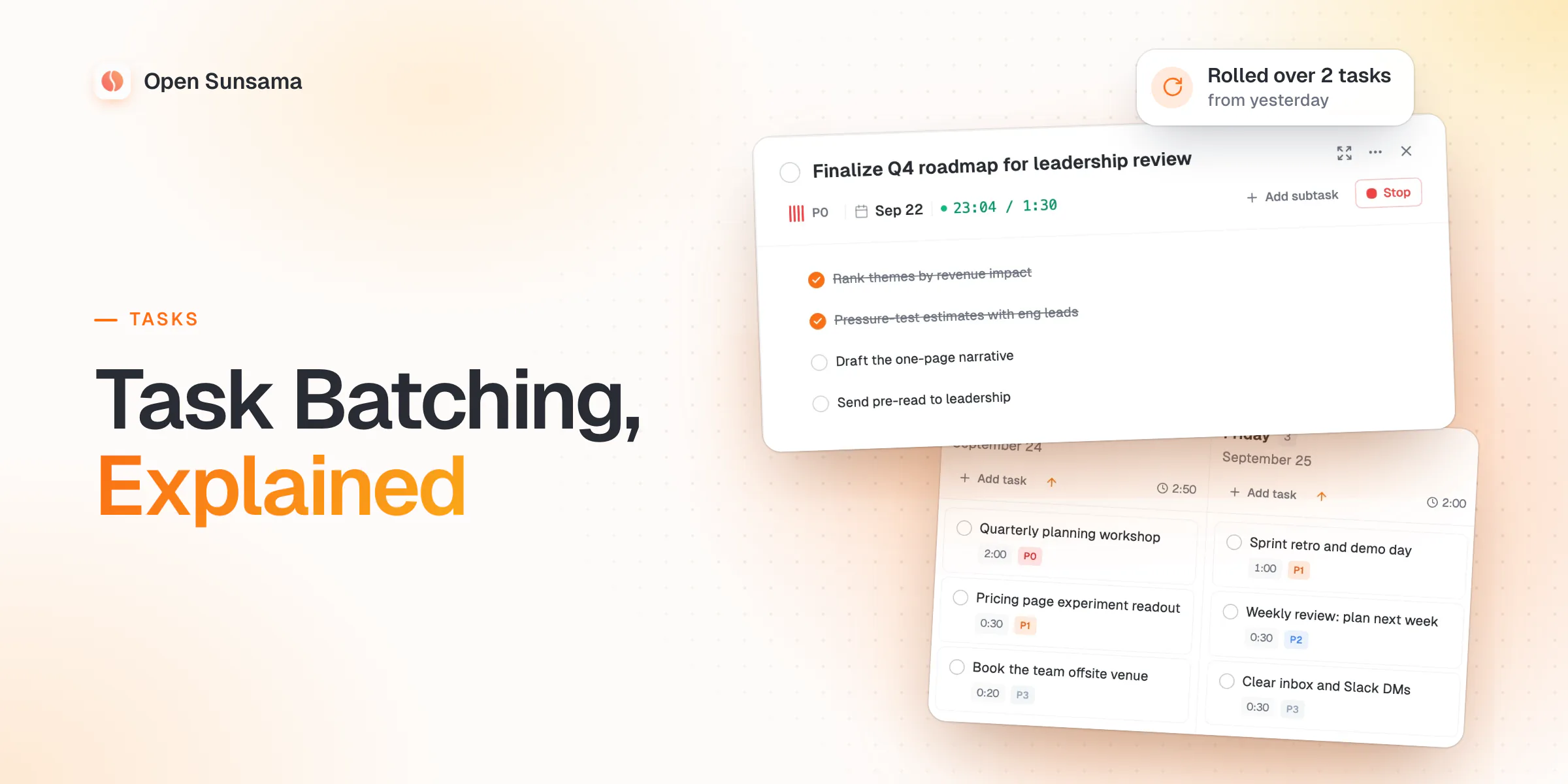
Open Sunsama: Built specifically for combining task management with calendar scheduling. Drag tasks directly onto your calendar to create time-blocked batches. See your tasks and schedule in one unified view, making batch planning intuitive. The focus mode helps you execute batches without distraction. Open source.
Todoist or Things: Tag tasks by batch category, then view filtered lists during each batch session.
Focus Tools
Focus@Will or Brain.fm: Background audio designed for concentration during deep work batches.
Freedom or Cold Turkey: Block distracting websites and apps during batch sessions.
Communication Management
Superhuman or Spark: Email clients with scheduling features to process messages in batches while delivering responses at appropriate times.
Slack scheduled messages: Batch your responses and schedule delivery so you're not pulling others off their work.
Time Tracking
Toggl or Clockify: Track time spent on each batch to improve estimates and identify where time actually goes.
Frequently Asked Questions
What is task batching?
Task batching is a productivity method where you group similar tasks together and complete them in dedicated sessions. Instead of scattering activities throughout your day, you consolidate related work—like processing all emails in one block or making all phone calls together—to reduce context switching and improve focus.
How does task batching improve productivity?
Task batching improves productivity by eliminating the hidden costs of context switching. Research shows it takes over 23 minutes to refocus after switching tasks. By batching similar activities, you load the required mental setup once and apply it repeatedly, reducing transition time and enabling deeper focus.
What's the difference between task batching and time blocking?
Task batching determines what you group together (similar tasks in one session). Time blocking determines when you do it (scheduling specific hours for specific work). They complement each other: batch your tasks by type, then time block when each batch happens.
How long should task batches be?
Optimal batch length depends on the task type and your focus capacity. Most people find 30-90 minutes works well. Creative or deep work batches might extend to 2 hours. Communication batches often work better at 30-45 minutes. Avoid batches longer than 2 hours without breaks.
Can I task batch in a reactive job?
Yes, but you'll need to adapt. Even in highly reactive roles, most people can protect some batch time. Try batching early morning or late afternoon when interruptions are fewer. Batch within your control (your own tasks) even if you can't batch external responses.
How many times should I batch email per day?
Two to three email batches daily works for most knowledge workers: morning (8-9 AM), midday (12-1 PM), and late afternoon (4-5 PM). Adjust based on your role's communication expectations. The goal is checking intentionally rather than reflexively.
What tasks shouldn't be batched?
Genuine emergencies, time-sensitive opportunities, and high-stakes decisions that benefit from spacing shouldn't be batched. Also avoid batching tasks that have strict sequential dependencies or require real-time collaboration with others.
How do I start task batching?
Start by tracking your tasks for one week, noting what types of work you do repeatedly. Group similar tasks into categories. Schedule one or two batches into your calendar next week. Protect that time from interruptions. Review what worked and adjust. Add more batches gradually.
Does task batching work for creative work?
Task batching is especially valuable for creative work. Creative tasks require mental warm-up time and benefit from uninterrupted focus. Batching all writing, designing, or brainstorming into dedicated sessions protects the conditions needed for creative flow.
How do I handle urgent emails if I only check twice daily?
Set clear expectations with colleagues about your batch schedule. Provide alternative contact methods for genuine emergencies (phone, text). Check email subject lines (not content) briefly to identify anything truly urgent. Most "urgent" emails can actually wait a few hours.
Can task batching help with ADHD?
Many people with ADHD find task batching helpful because it reduces the decision-making burden of "what to do next" and creates external structure. The reduced context switching also minimizes the refocusing challenges that can be particularly difficult with ADHD. Start with shorter batches (20-30 minutes) and build up.
What's the biggest mistake people make with task batching?
The biggest mistake is treating batching as an all-or-nothing system. When one day gets disrupted, people abandon the entire method. Task batching is a flexible framework, not a rigid rule. Adapt when needed, but return to batching as your default approach.
Conclusion: Reclaim Your Focus with Task Batching
The modern work environment is designed to fragment your attention. Email, Slack, notifications, and meetings create an endless stream of interruptions that scatter your focus across dozens of context switches daily. Each switch costs you time, energy, and the ability to produce your best work.
Task batching offers a way out. By grouping similar tasks together and completing them in dedicated sessions, you reclaim the focused time that fragmentation steals. The method is simple but powerful: identify what can be batched, schedule when each batch happens, protect those sessions from interruption, and execute with full focus.
The benefits compound over time. Less context switching means more energy. More energy means deeper focus. Deeper focus means better work. Better work means more satisfaction—and often, earlier finishing times.
You don't need perfect implementation. Start by batching one category this week—perhaps email or administrative tasks. Experience the clarity of knowing exactly what you're working on and the relief of completing an entire category before moving on. Build from there.
Task batching works because it aligns with how your brain actually functions. The science is clear: your mind performs better with sustained focus than constant switching. It's time to stop fighting your cognitive architecture and start working with it.
Ready to implement task batching? Open Sunsama makes it simple to organize tasks by category and schedule them as time blocks on your calendar. Drag tasks into batched sessions, execute them in focus mode, and see your day in one unified view. It's open source. Start batching your tasks today.